Most parents know their child’s reading level, math grades, and maybe their IQ score. But there’s a number that predicts long-term success better than any of those — and almost no parent has ever measured it.
It’s called AQ: Adversity Quotient.
What Is AQ (Adversity Quotient)?
AQ was developed by psychologist Paul Stoltz in the 1990s. Where IQ measures intelligence and EQ measures emotional awareness, AQ measures something different: how a person responds when things go wrong.
Stoltz identified four dimensions, using the acronym CORE:
- Control — Does your child believe they have any influence over bad situations, or do they feel powerless?
- Ownership — Do they take responsibility for improving a situation, even if they didn’t cause it?
- Reach — When something goes wrong, do they contain the damage, or does it spill into every part of their life?
- Endurance — Do they believe the difficulty is temporary, or does it feel permanent?
A child with high AQ bounces back from failure. A child with low AQ gets stuck.
Why AQ Matters More Than You Think
Stoltz’s research found that AQ predicted performance better than IQ or EQ across professions — from students to CEOs. People with high AQ outperformed equally intelligent peers because they didn’t quit when things got hard.
For kids specifically, studies have linked resilience scores to:
- Better academic recovery after a bad grade or school change
- Healthier responses to social conflict and bullying
- Greater willingness to try difficult things (sports, instruments, new subjects)
- Lower rates of anxiety and learned helplessness in adolescence
You can’t protect your child from adversity. You can help them get better at handling it.
The Problem With Most Resilience Tests
Most resilience assessments for children are self-report surveys: “How do you feel when things go wrong?” Children — especially teenagers — don’t always answer honestly. They answer the way they think they’re supposed to answer.
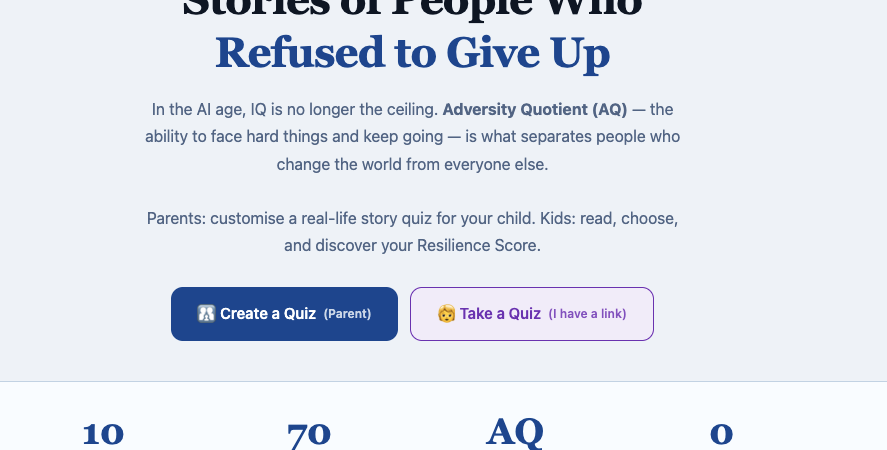
I wanted something different when I built this quiz. Instead of asking a child how they think they’d react, I wanted to show them how real people actually faced failure — and let them decide what they would have done.
How the AQ Kids Quiz Works
The quiz uses 10 historical figures: Walt Disney, Marie Curie, Steve Jobs, Oprah Winfrey, Nelson Mandela, Warren Buffett, Elon Musk, J.K. Rowling, Soichiro Honda, and Stephen Hawking.
For each figure, the child reads what actually happened to that person — the bankruptcy, the rejection letter, the diagnosis, the prison sentence — and faces the same decision that person faced at their lowest point. They don’t know who the person is. They just see the situation and choose what they would do.
At the end, they get a Resilience Score — and a personal message from their parent that they didn’t know was coming.
That last part matters. Before a parent shares the quiz link with their child, they write a short message for each possible score range. The child gets the quiz cold. They don’t know a message is waiting. When they finish, the score appears — and then the message from their parent appears beneath it.
Parents have reported their children reading that message three or four times.
Try the Free Quiz
The quiz is completely free. No login, no data stored on a server — everything runs in the URL itself, which means the parent’s message and quiz settings travel with the link but never touch a database.
Build your child’s AQ quiz — free, no login →
The parent setup takes about 5–10 minutes. You choose which 1–3 historical figures to include, customize which decisions to show, and write your messages for each score range. Then you share the link with your child — by text, QR code, or however you’d naturally send them something.
How to Use the Results
The Resilience Score is not a diagnosis. It’s a starting point for a conversation.
If your child scores low — that’s useful information. It means they tend to feel powerless, or that problems feel permanent to them. That’s something you can work on together. A low AQ in a 12-year-old is not a life sentence. It’s correctable.
If they score high — don’t assume the work is done. High AQ children sometimes underestimate real risks, or resist asking for help because they’re confident they can handle everything alone.
The best use of this quiz is not to label your child. It’s to open a conversation you might not have had otherwise: What would you have done if that happened to you? Turns out, historical disasters are an easier entry point than asking a teenager how they feel about their own failures.
A Note From the Builder
My son started high school this year. That’s why I built this. I wanted something that might actually matter to a teenager — something with real stories, real decisions, real people who failed and kept going.
I’m not a psychologist. I’m an ordinary person who read about AQ, thought it should exist as a free tool for parents, and spent a weekend building it. Then another day fixing the bugs. That’s usually how the useful things get made.
If you use it, I’d genuinely like to know how the conversation went. There’s a comment section below.
Related:
AQ Kids Quiz — build it now, free
Chinese Reading Lab — 10 historical figures, practice reading in Chinese
AI Decision Toolkit — how I use AI to make better decisions
All Free Tools
Leave a Reply